Review and next steps
What should you reject when an AI garden image changes the real space?
By GardenRender AI · Planning ideas and concept comparisons
Reject any concept that depends on removing a feature you need, inventing usable space or disguising a practical conflict. A beautiful result can still be the wrong answer to your brief.
Make a keep-list before generation
Record the doors, gates, house outline, trees, boundaries and routes that matter. A short list makes it easier to notice changes after your attention is drawn to attractive planting or furniture.
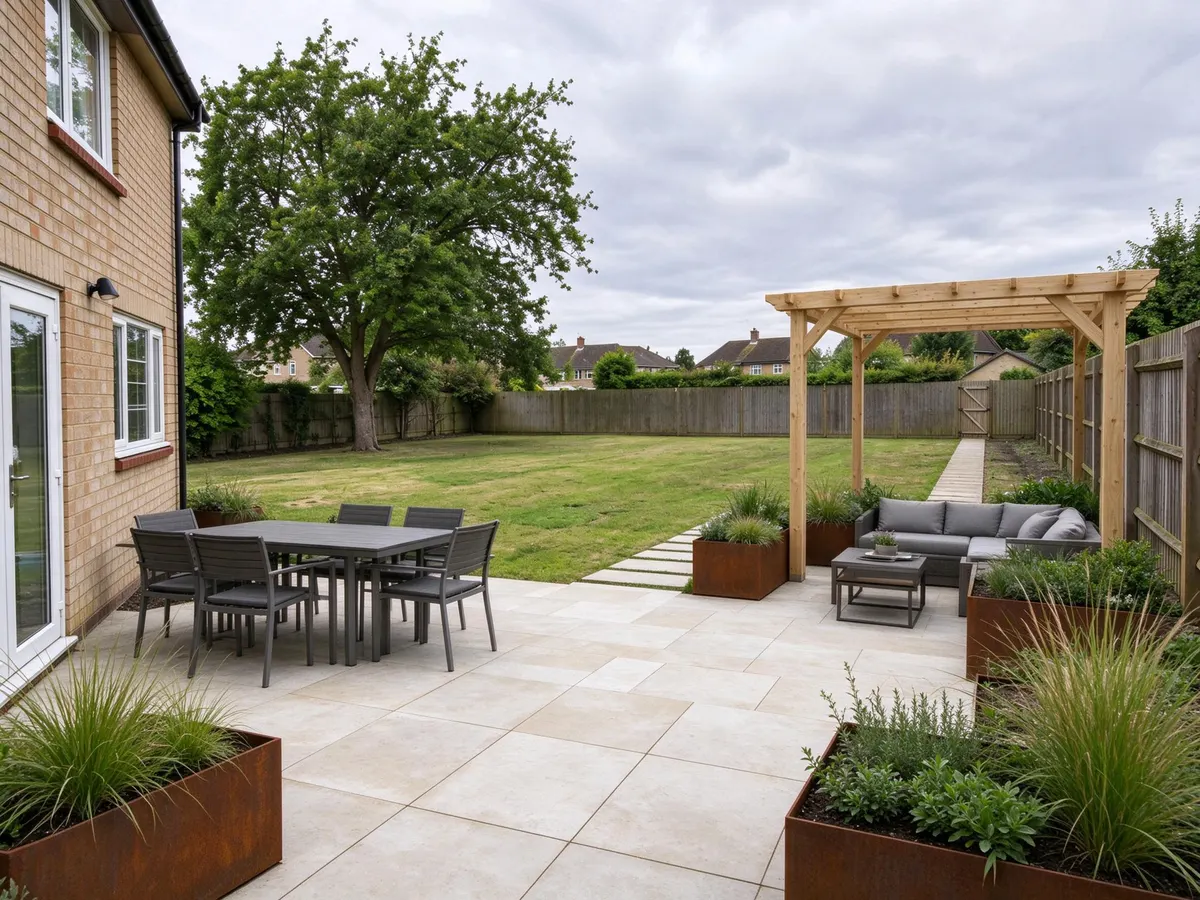
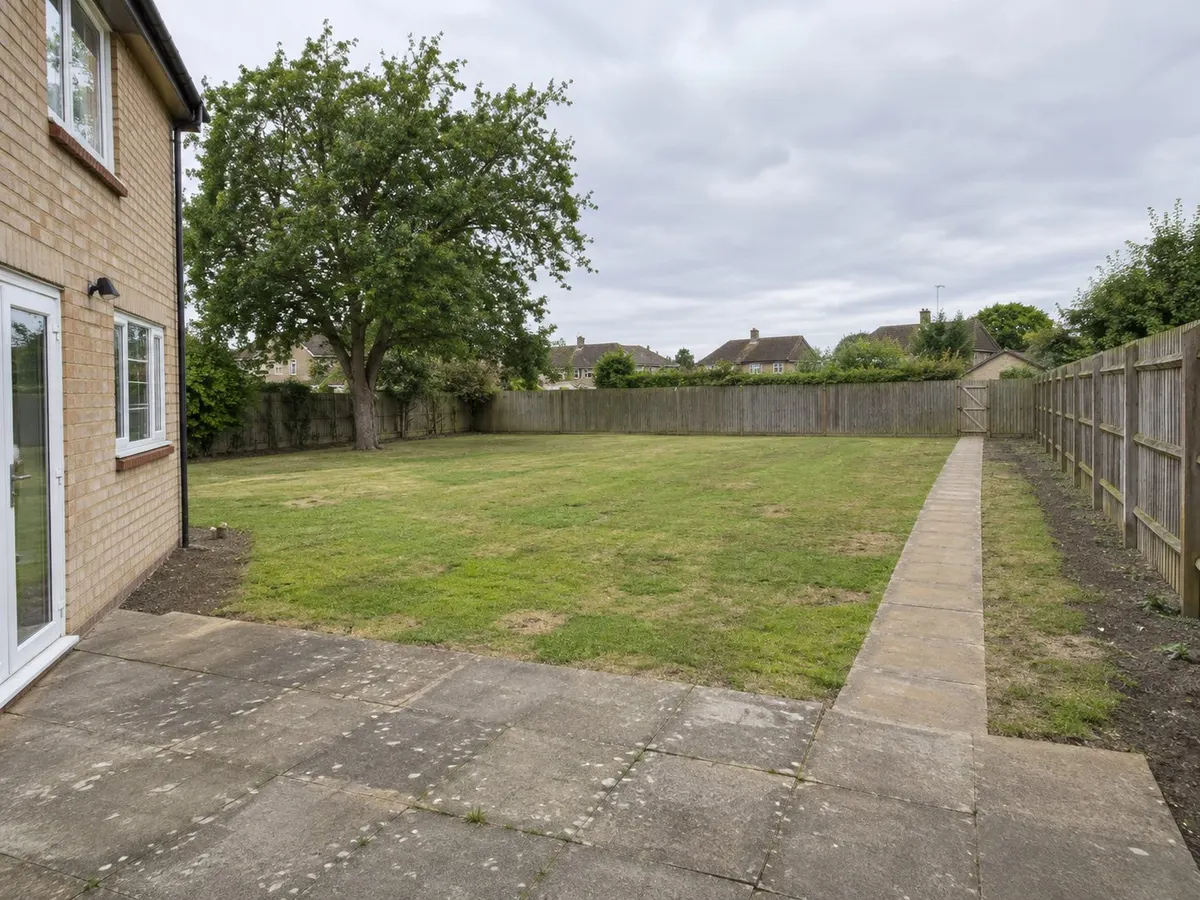
A patio-focused makeover
Compare foreground paving and seating with the retained open lawn.
The side route and requested seating count changed. Neither layout nor building details were measured.
Both images are AI-generated editorial demonstrations, not a customer project or completed landscaping. Generated 2026-11-14. A case may be reused where it answers a different planning question.
The patio example changes the side route and did not deliver the requested seating count exactly. Compare those details before judging the paving.
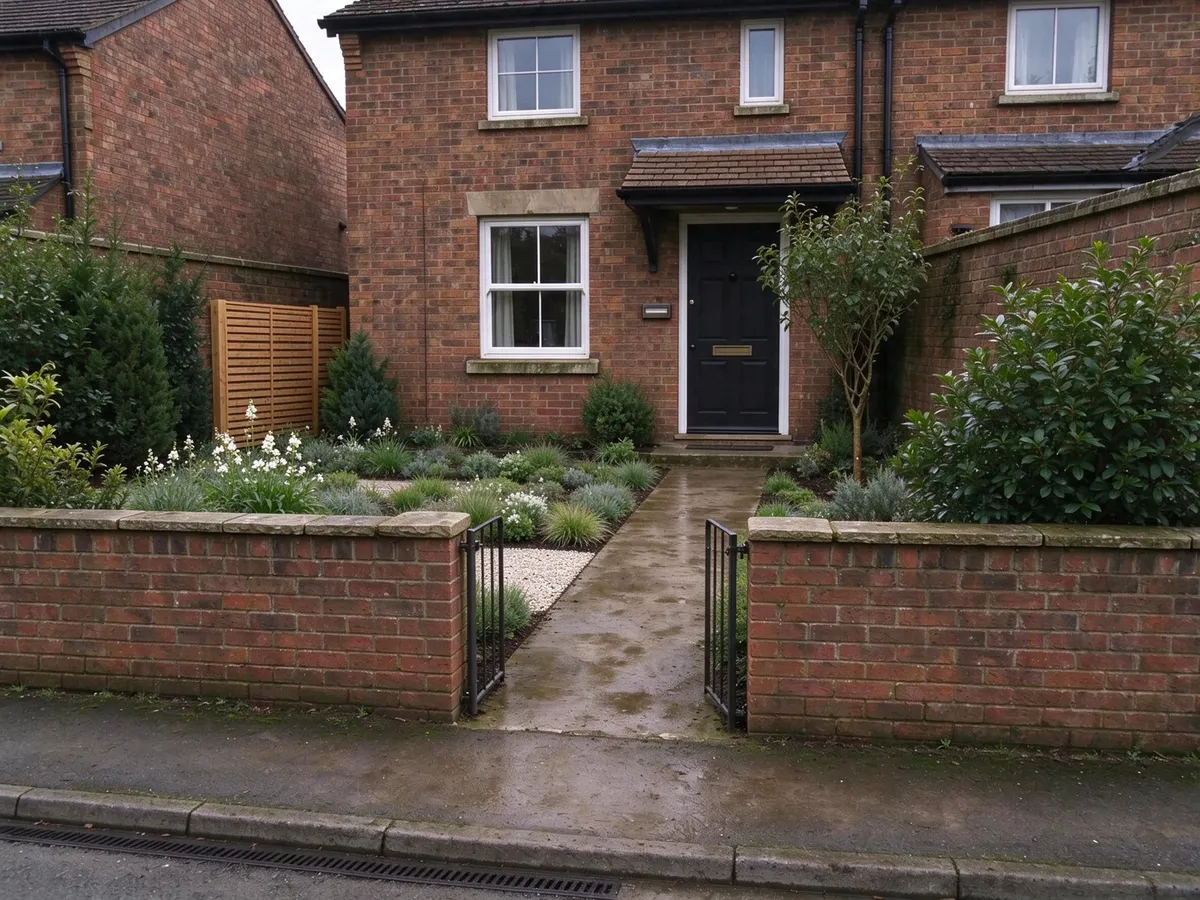
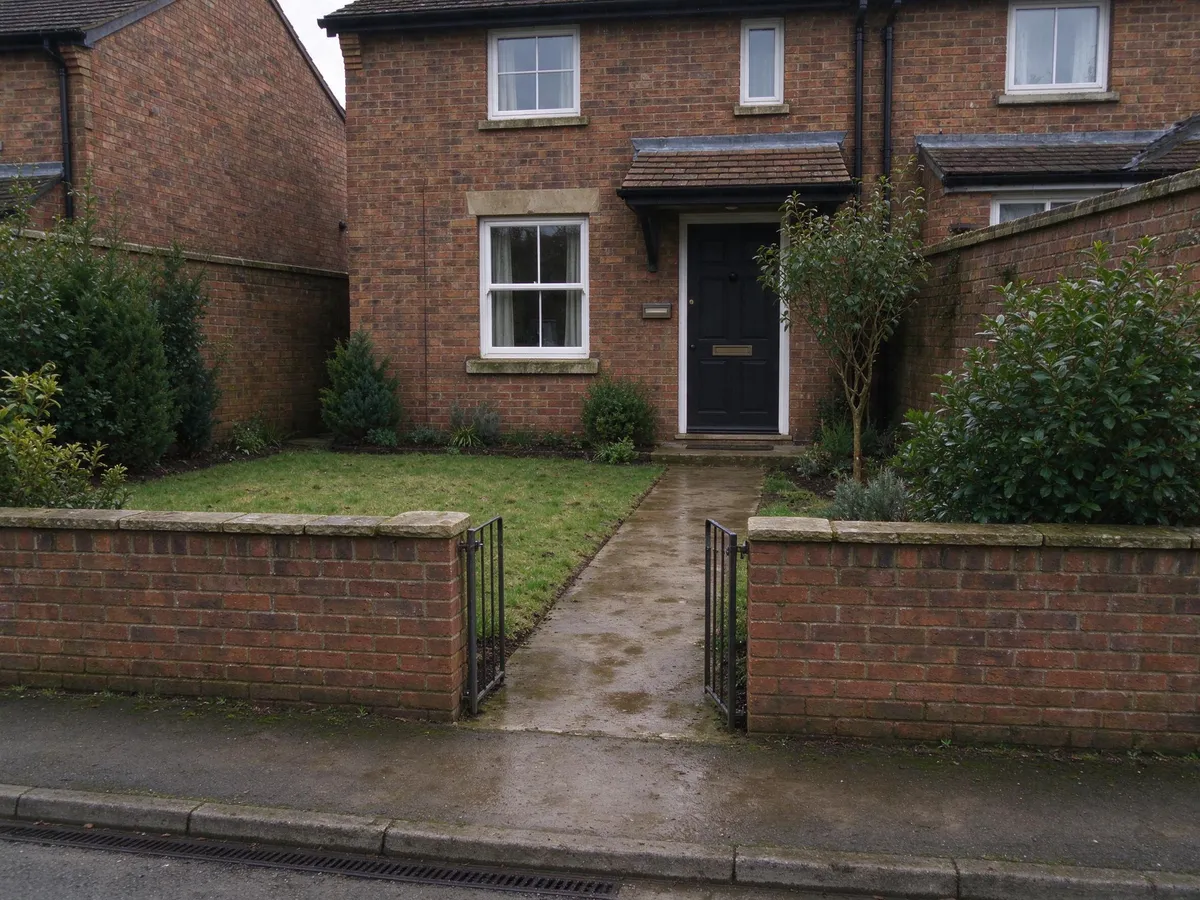
Planting around a front entrance
Trace the gate-to-door route, then inspect the greener frontage and modest side screen.
Boundaries, actual visibility, drainage and screen permissions have not been assessed.
Both images are AI-generated editorial demonstrations, not a customer project or completed landscaping. Generated 2026-11-14. A case may be reused where it answers a different planning question.
In the frontage demonstration, trace the entrance route and inspect the boundary. Neither image establishes ownership, drainage or actual screening performance.
Review in three passes
- Compare fixed features against your original photo. Mark missing, moved or resized items.
- Trace real activities, such as opening the door or reaching the gate. Anything hidden is unresolved.
- Only then evaluate the appearance and keep the parts that still make sense.
Use a plain label for each observation: keep, revise, reject or unknown. Do not repair a mismatch in your imagination just because you like the style. Nor should you describe a new render as a precise correction without checking it again.
Take ideas out of a failed image carefully
You can retain a colour relationship or broad seating idea while rejecting the geometry. Save a note explaining exactly which part interested you. GardenRender produces concepts, not verified plans; wording cannot guarantee that a house or fence stays unchanged.
When the next step is professional discussion, prepare a brief that includes the original, the chosen ideas and the rejected changes.
Planning references
General context, not measured demand or proof of a generated example.
- RHS: planning a garden and preparing a briefGeneral planning context, not evidence of this fictional example or demand volume